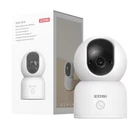
ZOSI 2K 3MP 2-Way Audio PT WiFi Security IP Baby Pet Monitor Camera Indoor
$ 7.92
Description
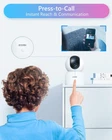
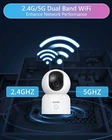
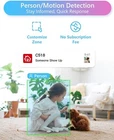
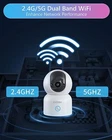
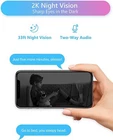
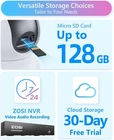
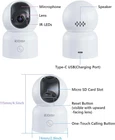
Full Room Coverage, See it All 360° Pan & 108° Tilt let you to monitor every part of your home, ensure that no corner goes unnoticed Keep Watch Your Baby Extraordinary 2K night vision let you see every move of your baby clearly, even in pitch-black room Stay Alert to What Truly Matters Keep a vigilant eye on human presence with smart person detection Peace of Mind, Always in Sight When person motion detected, the camera will auto track the target them in your timeline of sight. Instant connection at your fingertips With a simple touch of C518, your family can easily initiate a call to you. Whether they need help, share news, or just want to stay connected, this innovative feature brings your family closer together. Hear & Talk in Real Time Embrace real-time interactions. You can swiftly respond to your child's cry, comfort your fluffy friends, or even address unexpected visitors, all through real-time communication. Stronger Network Performance This indoor camera works on both 2.4GHz and 5GHz WiFi. Choose the WiFi band that suits your needs. Easy and Free Remote Access Zosi Smart App/Client with no subscription fee, protect your home security even when you are away. Choose Your Storage Store video on micro SD card (up to 128GB, not included) , cloud storage or connect camera to NVR. Hands-free voice control Check what's happening by simply using intuitive voice commands via Amazon Alexa for ease of use. Convenient playback Navigate the timeline and access specific video clips with ease. Multi view of multiple cameras Easily manage multiple cameras in conjunction with the ZOSI NVR. This allows you to view and control all cameras at the same time. Security of the data Thanks to the certified local AWS server, all videos are encrypted on the device. Your data will be treated confidentially. Easy setup Connection Method Via QR Code: 1.Tap the “+” icon to add device and select Camera C518 2.Tap Scan QR Code. 3.Scan the QR code on the camera or manually enter the device ID 4.On the Device Information page, name the device and tap Add an Unconnected Device. 5.Select the Wi-Fi network for the device and enter the password. Tap Next. 6.On Scan QR Code page, let your camera lens scan the QR code generated on your smartphone. 7.After you hear a beep sound and voice prompts “Wireless Configuration Succeed” “Wireless connecting, please wait” from the camera, Tap Next. If you hear “Wireless Connection Succeed”, then tap Next. Finish the initial and tap Done. On Oct 25, 2024 at 23:06:05 PDT, seller added the following information: