


SD Card Reader for iPhone iPad Camera Dual Card Slot Memory Reader for SD and TF
$ 5.28
Description
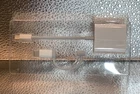
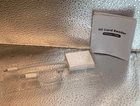
About this item: 2 in 1 Card Reader Slot: The SD card reader for iPhone iPad compatible with SD / Micro SD (TF) cards, supports all iPhones with iOS 9.2 or higher and iPads with iOS 8.0 or later. With this memory card reader, you can download photos or videos from SD cards directly to the iPhone or iPad anytime and anywhere. Plug and unplug your cards easily. Note: Not Support the MS and CF card. Super Speed Data Transfer: With 30 MB/s transfer speed of this SD card reader for iPhone, photos and videos of your camera can be transferred in a few seconds to your iPhone/iPad. Plug and Play: No need third-party connection apps, no need internet connection, without extra-drive or software, just connecting the iPhone SD card reader to your device and wait for 1-3 seconds, share your happiness with your family and friends in real time. Excellent Compatibility: The SD card reader for iPhone supports standard photo formats (including JPEG and RAW) and SD/HD Video formats (including h. 264 and MPEG-4). Compatible with iPhone 16/15/14/14 Pro/14 Pro Max/13/13 Mini/13 Pro/13 Pro Max/12 Mini/12/12 Pro/12 Pro Max/11/XR/XS/X/8/7/6/5, iPad etc. Supports the memory card with a maximum capacity of 512 GB. USB-C to Lightening OTG Adapter: This SD Card Reader include USB-C OTG adapter that are compatible with your iPhone whether it has a Lightening connector or the latest USB-C connector. You have to have this: The BKYMPR SD card reader is a photographic accessory for Kodak Canon Nikon digital cameras. Plug in your iPhone and use iOS's built-in “Photos” to import photos and videos with one click. Or use iOS's built-in “Files” to import and export any file. This is going to make downloading for your social media a breeze.


El pedido se entregó a tiempo sin problemas
El pedido se entregó a tiempo sin problemas