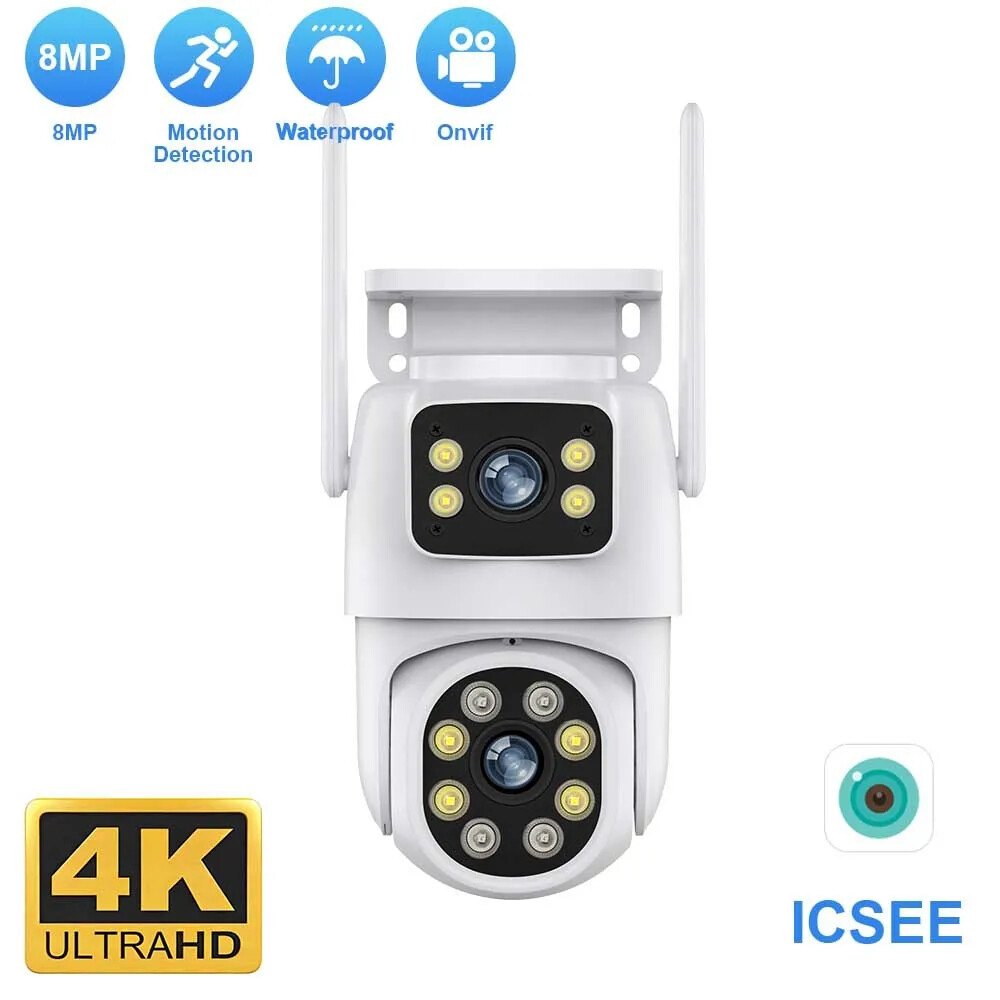


Night Vision Dual Screen Human Detection Security Protection Surveillance Camera
$ 24.59
Description
Notice: The camera does not support zooming in on video images in portrait mode, but supports zooming in on 2-lenses video images in landscape mode. The specific steps are displayed in detail on the product details page. Customers are asked to read the video tutorial on enlarging pictures on the details page to find the answer. 4K 8MP Dual Screens PTZ Outdoor Wifi Camera ① Camera has one year free warranty ② The camera supports the onvif protocol ③ There are 2 lenses, so the icsee app presents 2 screens ④ Support Bluetooth / 2.4G HZ wifi / RJ-45 wired /AP mode connection ⑤ supports full-color mode, infrared mode and double-light alert mode ⑥ After-sales guarantee: 24 hours timely reply 8MP 4MP Version Comparison 8MP camera version: Means that the single lens is 4MP, so the dual-lens is 4MP+4MP=8MP. 4MP camera version: Means that the single lens is 2MP, so the dual-lens is 2MP+2MP=4MP. The Steps to enlarge video screen for wifi camera ① Please switch the video to landscape mode in the icsee app ② Tap the video on the left or right with both hands, ③ It becomes a big screen with a single video screen ④ Then you can zoom with 2 fingers Main Features: ● 8MP 4MP Resolution Option ● Dual-Lens with Dual Screenes ● AI human detection Alarm ● 20~25 meters Colorful/Black White Night Vision ● Enhanced dual antenna penetration ability ● Pan 270 degree/ Tilt 90 degree ● Two-Way Audio Talk Speak Real Time ● Motion Detection and Alarm Tone Function ● 2.4Ghz WiFi & Bluetooth & Wired Connection three Mode ● AP Hotspot Mode Access ● Waterproof IP66 Use for Outdoor ● TF Card Slot Support Max 128 GB. ● Encryption security cloud storage ● Remotely View via the App iCSee on Smartphone Package Listing: 1x Dual Lenses Camera 1x User Manual 1x Power Supply (EU / US / AU / UK Optional) 1x Screws Bag 1x Waterproof Lid Warm tips: the SD Card is optional :) You might need such extension cable This cable is not included , if you need , you could click this image to buy one directly !!!! Dual Lenses & Dual Screens Configured with dual lenses, a fixed point monitoring, a tilt monitoring PTZ Remote Control Rotates 270° Horizontally and 90° Vertically, You can control it in the ICSEE app directly whenever you want and wherever you are. Moving Auto tracking After locking the target, the camera will adjust the pan rotation automatically, Tracking Moving Human and push alerts notifications to your Smartphone. Ai Human Detect Alert Quickly finds human targets and immediately sends a notification to your phone, letting you see what happens anywhere. It only detects the human shape Color Infrared Night Vision ① full-color mode, ② infrared mode ③double-light alert mode (infrared night vision is displayed when no object moves, and the white light will be turned on to switch to full-color mode after motion is detected). Real Two Way Audio Built-in microphone and speaker / Customized new speakers with loud volume; You could talk to anyone nears the camera ( Warn someone to leave your house ). Three connection modes ① RJ-45 Cable connection ② Wifi connection(2.4G HZ WIFI) ③Bluetooth connection NVR with Onvif is Compatible with Our Dual Screens Camera There is a 48V POE Splitter Cable IEEE802.3af 48V PoE Splitter Cable 15.5W POE Adapter Cable,Active POE Splitter Power supply Module 12V Separator Voltage change: Input -- 48V POE , Output -- DC 12V 1A to 2A Our camera supports onvif protocol. To connect to POE NVR, you need to purchase 48V Splitter Cable If your POE NVR supports the onvif protocol and you want the camera to be compatible with the POE NVR, please purchase this additional 48V PoE Splitter Cable. Click on the picture to purchase it. Notice: ① If your NVR is not a POE NVR, you do not need to buy this Splitter Cable, just use the camera directly ② For specific 48V PoE Splitter Cable parameter information introduction, please click on the picture below to enter the product link and understand, thank you How to find the Alexa configuration portal in the icsee app Smart H.265 Video Compression Save you 50% of storage space. Provide you with up to 50% excellent bandwidth improvement, faster image transmission speed, and enjoy smoother video playback speed IP66 Waterproof / Dustproof The camera case is made of high-quality ABS plastic, which is waterproof, sun-proof and dust-proof. It is suitable for any environment. SD Card & Cloud Storage First month cloud storage and Max 128G SD card Record ,data security is more stable . If you want to keep using Cloud Service, you just need to pay for it , if you don't need to use , it will stop it automatically when you don't pay for the fee. iCSee APP Remote Access Easy remote access to get what happens when you left home How to Configure the Camera in the iCSee App ① Download icsee app from Google Mall or other software malls ② There is a reset button at the bottom of the camera. Press and hold the reset button for 10 seconds. When you hear the sound of a successful reset, the camera has been reset successfully. ③ Connect the camera through the 2.4G HZ Wifi network band, follow the 6 steps in the picture to connect, and you can configure it successfully. How to Configure the Camera in VMS Software ① The username and password of VMS software are both admin ② Find the complete serial number, password and user name in the icsee app and enter it into the VMS software and add it successfully ③ Double-click the serial number to watch online in real time