







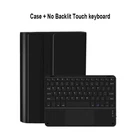

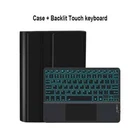
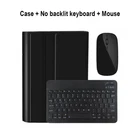
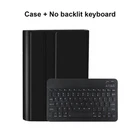
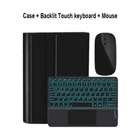
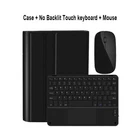

NEW Galaxy Tab Keyboard Case for All types Samsung Tablet Cover Smart Touchpad🔥
$ 27.93
Description
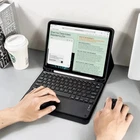
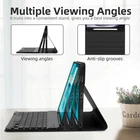
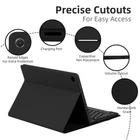
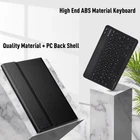
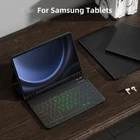
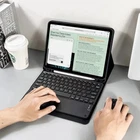
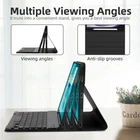
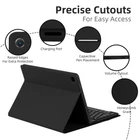
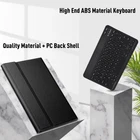
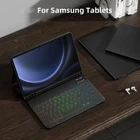
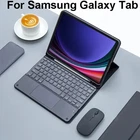
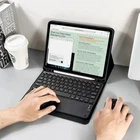
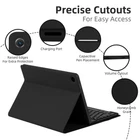
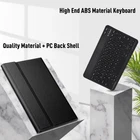
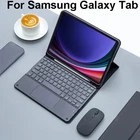
30 Days Return Fast Shipping Trusted Seller NEW Galaxy Tab Keyboard Case for All types Samsung Tablet Cover Smart Touchpad🔥 Please confirm your machine model before purchasing~ Galaxy Tab A7 Lite 8.7 inch (SM-T220/T225/T227) Galaxy Tab A9 8.7 inch (SM-X110/X115/X117) Galaxy Tab S6 lite 10.4 inch (SM-P610/P615 P613/P619) Galaxy Tab S7 11-inch (SM-T870/T875/T878U) Galaxy Tab S8 11-inch (SM-X700N/X706N) Galaxy Tab A7 10.4 inch (SM-T500/T503/T505/T507/T509) Galaxy Tab A8 10.5 inch (SM-X200N/X205N) Galaxy Tab S9 11-inch (SM-X710/X716/X718) Galaxy Tab S9 FE 10.9 inch (SM-X510/X516B) Galaxy Tab A9 Plus 11 inch(SM-X210N/X216B) Galaxy Tab S7 Plus 12.4 inch (SM-T970/T975/T976) Galaxy Tab S7 FE 12.4 inch (SM-T730/T733/T735) Galaxy Tab S8 Plus 12.4inch(SM-X800N/X806N) Galaxy Tab S9 Plus 12.4 inch (SM-X810/X816/X818) Galaxy Tab S9 FE Plus 12.4 inch (SM-X610/X616B) Galaxy Tab S8 Ultra 14.6 inch (SM-X900N/X906N) Galaxy Tab S9 Ultra 14.6 inch(SM-X910/X916B/X918U) English keyboard: There are only English letters on the keyboard. Note: The digital tablet and stylus are not included in the package. The detailed description is for reference only. Please refer to the actual product for the color of the product. Office learning business fashion Comfortable solution to your office, study and entertainment needs. Bluetooth keyboard leather case Change the working mode of laptop, office, etc Adjustable at any angle, suitable for many occasions Ultimate material, comprehensive protection Anti-collision, anti-fall Bluetooth direct connection Tablet becomes notebook The delay-free keyboard connects to any Bluetooth device How to connect keyboard & Mouse? 1, Connect the mouse first, then connect the keyboard. 2, Mouse:Push the switch to the "Bluetooth" icon, find the Bluetooth connection with "Mouse" in the device Bluetooth list. 3, Normal Keyboard:Push the switch in the upper right corner to "ON", press "Connect", and find the Bluetooth connection with "Keyboard" in the device Bluetooth list. 4, Touchpad Keyboard:turn on keyboard ,press Fn+C to,then find the Bluetooth connection with "Keyboard" in the device Bluetooth list. FAQ Q:What should I pay attention to when connecting the mouse for the first time? A: When the mouse is connected for the first time, you need to press the left button, the right button and the scroll wheel at the same time for about 3-5 seconds. Q: Is the scroll direction of the mouse USB connector and Bluetooth connection the same? A: No, they are different. When using the USB connector, the scroll wheel slides in the same direction as the computer mouse. Bluetooth connection is the opposite. Q: How to switch between different systems? A: Fn+Q=Android, Fn+W=Windows, Fn+E=IOS. Please note that please switch the system before connecting the tablet. Q:The bluetooth keyboard letters are messy? A: Please check the settings according to the prompts, a. Check whether the keyboard language set on the device is English. b. Disconnect the keyboard Bluetooth, click Ignore the connected device, reopen the Bluetooth keyboard, select system, Fn+E (IOS system). Note: Fn+Q=Android, Fn+W=Windows, Fn+E=IOS c. Press the L S Z buttons at the same time to reset the keyboard Q:How to configure the input method for different languages keyboard? A: Take the samsung tablet as example,open "Settings--"ystem"--"Language & input"--"Add New Keyboard". (For other systems, please set them in the system settings according to the tips of the iPad example.) Q:How does the mouse change teh scroll wheel sliding direction on the device? A: The mouse is connected, open "General" - "Trackpad & Mouse" - close "Natural Scrolling". NEW Galaxy Tab Keyboard Case for All types Samsung Tablet Cover Smart Touchpad🔥 SHIPPING POLICY: Free Worldwide Shipping RETURN POLICY: 30 Days returns! PAYMENTS: Safe and secure payement with PayPal! FEEDBACK: Customer satisfaction is very important to us. If you have any problem with your order, please contact us. We are here to assist you and resolve any issues that arise, so please give us a chance to do so prior to potentially posting any negative feedback. We are sure that we can provide a solution that makes you satisfied. CONTACT US: If you have any queries, please contact us via ebay . We usually respond within 24 hours on weekdays. Thank you for shopping with us!